01
Capture
Record the contact, company, source, campaign and opportunity while the lead is fresh.
Open source · Apache 2.0
Manage your pipeline, conversations, orders and invoices in one self-hosted CRM. No per-user fees. No customer data scattered across disconnected tools.
 Live product interface
Open demo ↗
Live product interface
Open demo ↗
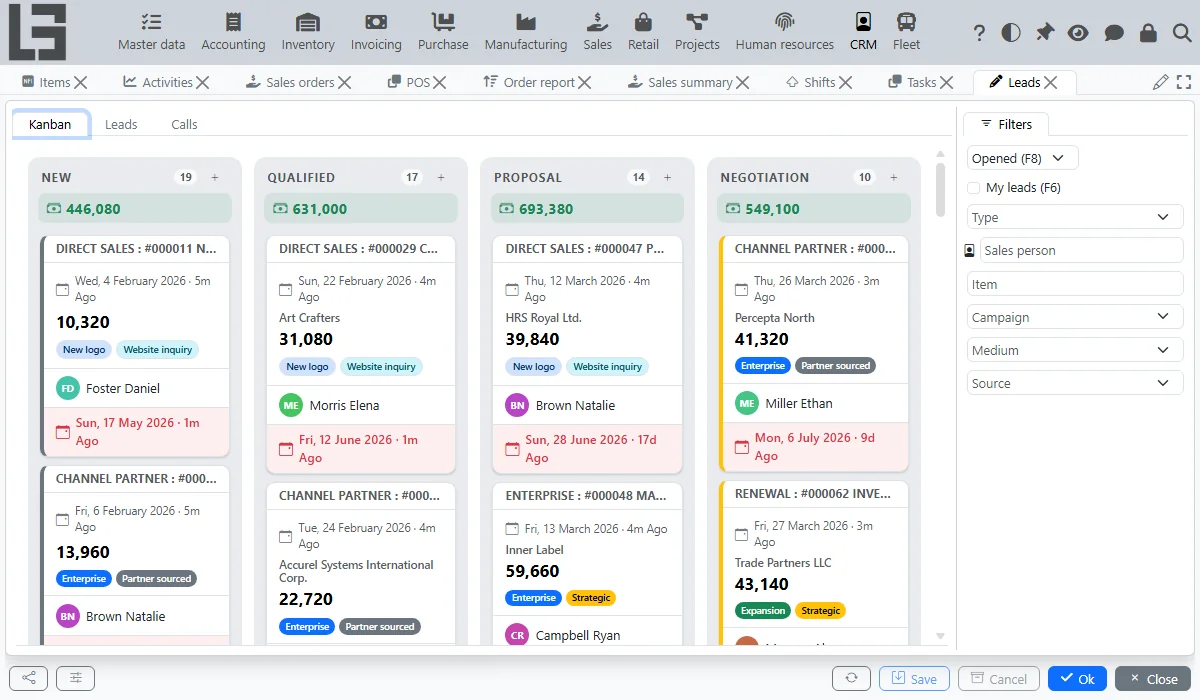
Sales pipeline · KanbanCaptured from the public MyCompany demo
One pipeline. No blind spots.
Every stage keeps the people, communication, value and documents your team needs to make the next decision.
Record the contact, company, source, campaign and opportunity while the lead is fresh.
Assign an owner, priority, expected revenue, probability and closing date.
Keep calls and emails attached to the opportunity instead of personal inboxes.
Create an order or invoice from the lead and keep the relationship between them.
Built for daily sales work
Kanban columns match your lead statuses. Drag a card to the next stage, while each salesperson keeps their own preferred card order.
Explore the lead boardRegister calls, send emails from the lead card and give the next person the complete history.
Create a sales order or invoice with the customer, delivery address and expected revenue already filled in.
Filter by owner, type, priority, campaign, medium or source — then see only what matters.
Reports that answer new questions
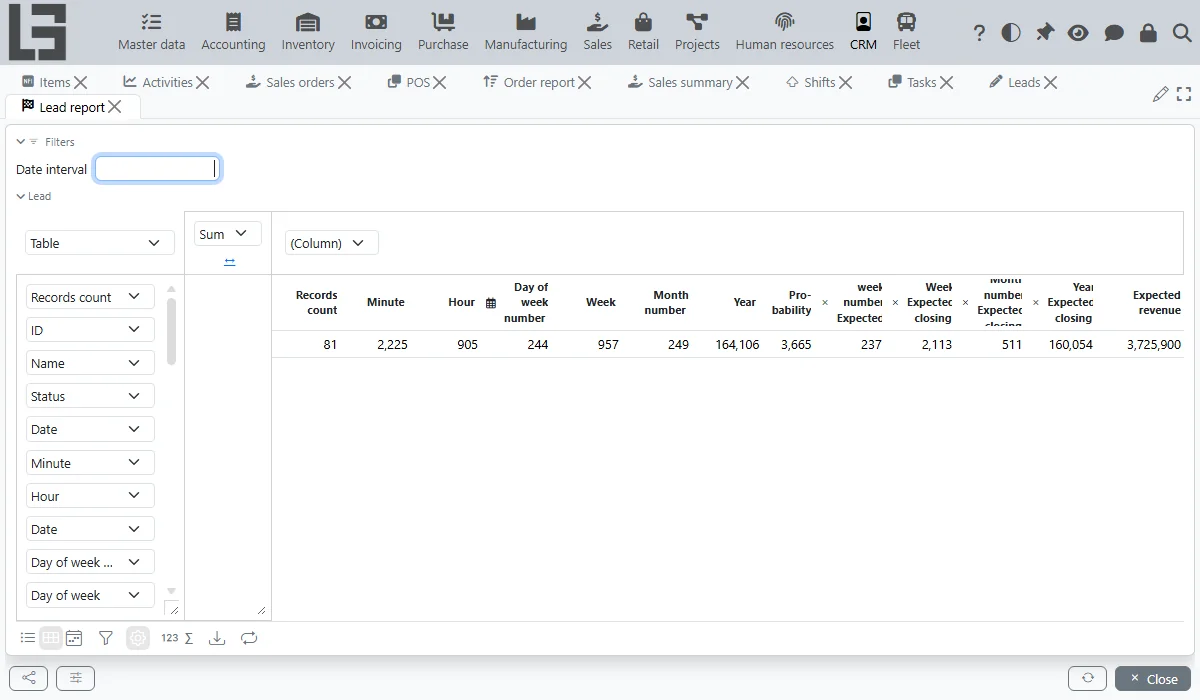
The Lead report is a flexible pivot table — choose dimensions, measures and visualization instead of waiting for another fixed dashboard.
Your CRM. Your infrastructure.
MyCompany runs on your server and keeps customer data under your control. The full source is open, while Java, PostgreSQL and ACID transactions provide a solid foundation for critical business processes.
View the source on GitHubFollow the workflow from your first lead to connected sales documents.
Yes. MyCompany is open source under Apache 2.0, with no license fees, hidden tier or per-user limit. You deploy it on your own infrastructure.
Yes. Columns match your lead statuses, and moving a card updates the opportunity stage. Card order is remembered separately for each user.
Yes. Calls can create or attach to leads, and emails are sent from the lead card. Zadarma integration adds automatic call logging, number recognition, recordings, click-to-call and a WebRTC widget.
After document types are selected in CRM settings, create the sales order or invoice directly from the lead. Customer, address and expected revenue carry over automatically.
Yes. CRM is part of the MyCompany ERP, so leads, orders, invoices and stock share one transactional database rather than fragile integrations between separate products.
A server with 4 GB RAM is enough to start. Install with one Linux command, the Windows installer or Docker; updates replace a single JAR file.
Your next deal starts here
Open the live CRM or tell us how your sales process works.